

How to Log In
- Press Sign in at the top of any page or in the app.
- Enter the email address you registered with and your password.
- Approve the 2FA prompt if you have enabled it.
- Pick the currency you want to play in from My Account if you hold more than one.

Forgotten Your Password
The login form has a reset link that sends a new-password email, and recovery typically takes two to three minutes from clicking the link. Choose a new password of at least eight characters mixing letters and numbers, and avoid reusing one from another site.
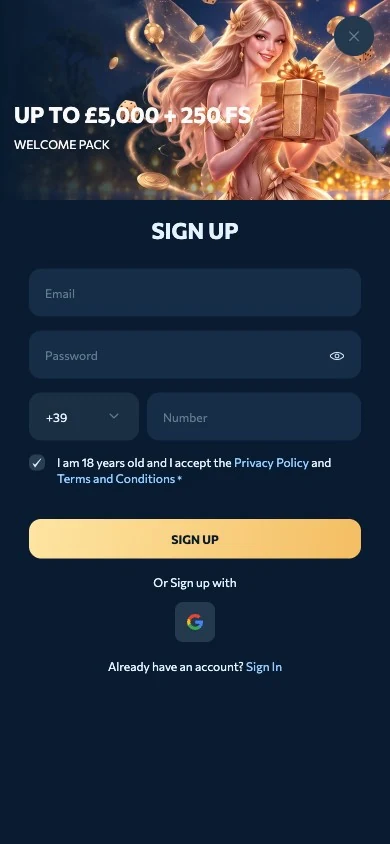
Creating an Account If You Are New
Registration takes under five minutes: email and password, name and date of birth, your account currency and a tick for the terms, followed by one click on our verification email. You can play immediately, and we only ask for documents at your first withdrawal.

| Step | What we ask for |
|---|---|
| 1 | Email and a password of at least eight characters |
| 2 | Name and date of birth, 18 or over |
| 3 | Account currency: GBP, EUR or one of twelve cryptocurrencies |
| 4 | Terms accepted and age confirmed |
| 5 | One click on the verification email |
Scroll horizontally to see the full table
Keeping Your Account Secure
Our site runs on 128-bit SSL encryption with anti-fraud monitoring, and two-factor authentication is available to every player from the account settings. An account left unused for 90 days is classed as dormant and may be closed, so withdraw your balance before a long break or ask support to reactivate it afterwards.
Verification can be requested at any time during the life of the account, not only at the first withdrawal, and documents must be uploaded within seven days of our request.
Frequently asked questions
What do I need to log in to ReveryPlay Casino?
Only the email address you registered with and your password, plus a 2FA code if you have enabled two-factor authentication in your account.
How do I reset my ReveryPlay password?
Use the reset link on the login page, open the email we send and set a new password; the whole process usually takes two to three minutes.
Can I log in on my phone?
Yes, the same email and password work in the mobile browser and in our installable web app for Android and iOS.
Why has my account been locked?
Accounts can be suspended when requested verification documents are not sent within seven days or after 90 days without activity, and support can reactivate a dormant account.